Preserve critical knowledge
- Historical records capture what worked, what didn’t, and why.
- They provide insights for strategic planning and improve decision-making on future projects.
Published 24/09/2025
Author: Andy Carter

Data migration is often treated as a technical exercise: lift the data, shift it to a new platform, and carry on. But anyone who has been through a major migration knows it is far more complex. It’s not just about moving files, it’s about preserving organisational memory, protecting compliance, and ensuring teams can still access the information they need to deliver projects with confidence.
This challenge is becoming particularly urgent with the end of life for Microsoft Project Online (POL). Organisations that have managed projects in POL for years now face critical questions: What happens to all our historical data? How do we retain lessons learned, maintain compliance, and still transition smoothly to new tools like Planner Premium or Project Server?
In this blog, we’ll explore why historical project data matters so much, the risks of getting migration wrong, and the strategies you can adopt to make your migration not just seamless, but strategic.

Project data is more than lines on a Gantt chart, it’s the collective memory of your organisation. Every milestone, budget line, and risk log represents experience that can inform future decisions. Losing that information is more than an inconvenience; it’s a risk.
In short: your historical project data isn’t just “old information”, it’s an asset that underpins resilience, compliance, and growth.
Plan Thoroughly Before Migration
Audit all data sources: Know exactly where your project data lives, from legacy systems to shared drives.
Define retention needs: Not every file needs to be migrated. Agree on what must be kept, what can be archived, and what can be retired.
Engage stakeholders early: Project managers, compliance officers, and IT teams must align on priorities and definitions.
Protect Data Integrity
Validate accuracy: Use checksum validation or hashing to confirm data hasn’t been altered during transfer.
Maintain transparency: Keep detailed logs of migration activities so you can demonstrate accountability.
Archive with Structure
Apply metadata: Dates, project names, owners, and categories make retrieval easier.
Align with regulations: Retention policies should reflect your sector’s compliance obligations (e.g., public sector audits, construction records, or healthcare governance).
Test Before Going Live
Pilot migrations: Use small datasets to identify gaps and refine your approach.
Validate access: Check that migrated data is not only present but usable and easy to find.
Support Your Teams
Provide training and guides: Users need to know how to access archived data and navigate new systems.
Offer ongoing support: FAQs, knowledge bases, and champions help sustain adoption.
| Step | Action |
|---|---|
| Audit | List all legacy systems, file formats, and storage locations. |
| Define | Identify which historical records must be migrated, archived, or retired. |
| Test | Conduct pilot runs on small datasets to refine methods. |
| Migrate | Use secure, monitored processes with logging and validation. |
| Archive | Apply metadata and retention policies to ensure accessibility. |
| Verify | Check data integrity and compliance after transfer. |
| Train | Provide user training and documentation for ongoing support. |
Too often, data migration is viewed as a burden, something to “get through” before business can continue as usual. But done well, migration and archiving can deliver real benefits:
Microsoft’s decision to retire Project Online means organisations can’t delay planning their migration strategy. Without proactive steps:
By taking a structured approach now, you not only protect your history but also set up your teams for success with Planner Premium, Microsoft Project, or a hybrid model that meets the needs of your organisation.
A successful migration is about more than moving files, it’s about preserving the integrity of your organisation’s history while positioning yourself for the future.
Plan thoroughly with audits and stakeholder engagement, Protect data integrity through validation and logging, Archive with structure so future retrieval is simple and compliant, and Support your teams with training and accessible guidance.
At CPS, we specialise in helping organisations not only migrate data securely but also rethink how they manage and retain project information in a world beyond Project Online.
Contact us today to learn how we can help you design a tailored migration and data retention strategy that protects your past while preparing for your future.
 Healthcare
BHRUT faced challenges in managing clinical safety assessments for digital applications. They collaborated with CPS and Microsoft to implement DASH, improving communication, resource management, and compliance.
 Transport
The Wales and West region in Network Rail identified a gap in tracking and managing non-infrastructure projects. They needed a scalable, tailored solution to manage a growing number of projects without a centralised system.
 Transport
Great Western Railway transformed project delivery with Microsoft Power Platform, enhancing governance, automation, and user experience through digital innovation and CPS expertise.
Explore more insights

How AI, Copilot and Agents can help councils reduce operational friction, improve productivity and build smarter, more resilient organisations during Local Government Reorganisation.

Local Government reorganisation is placing new pressure on councils to simplify systems, strengthen governance and deliver secure platform consolidation for future-ready operations.
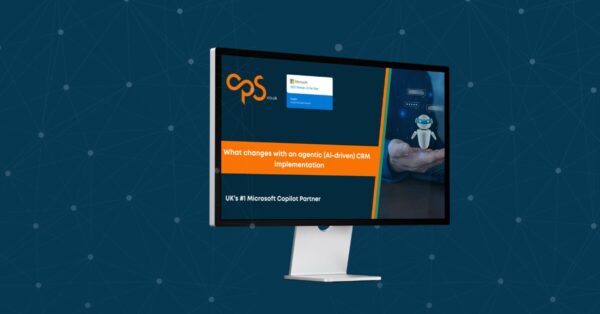
Most organisations are approaching AI implementation using the same methods they used for CRM projects a decade ago. But Agentic CRM changes the rules. In this webinar, discover how AI-driven solutions reshape process design, governance, user adoption and business change, and learn the practical steps needed to deliver successful Agentic AI programmes.